
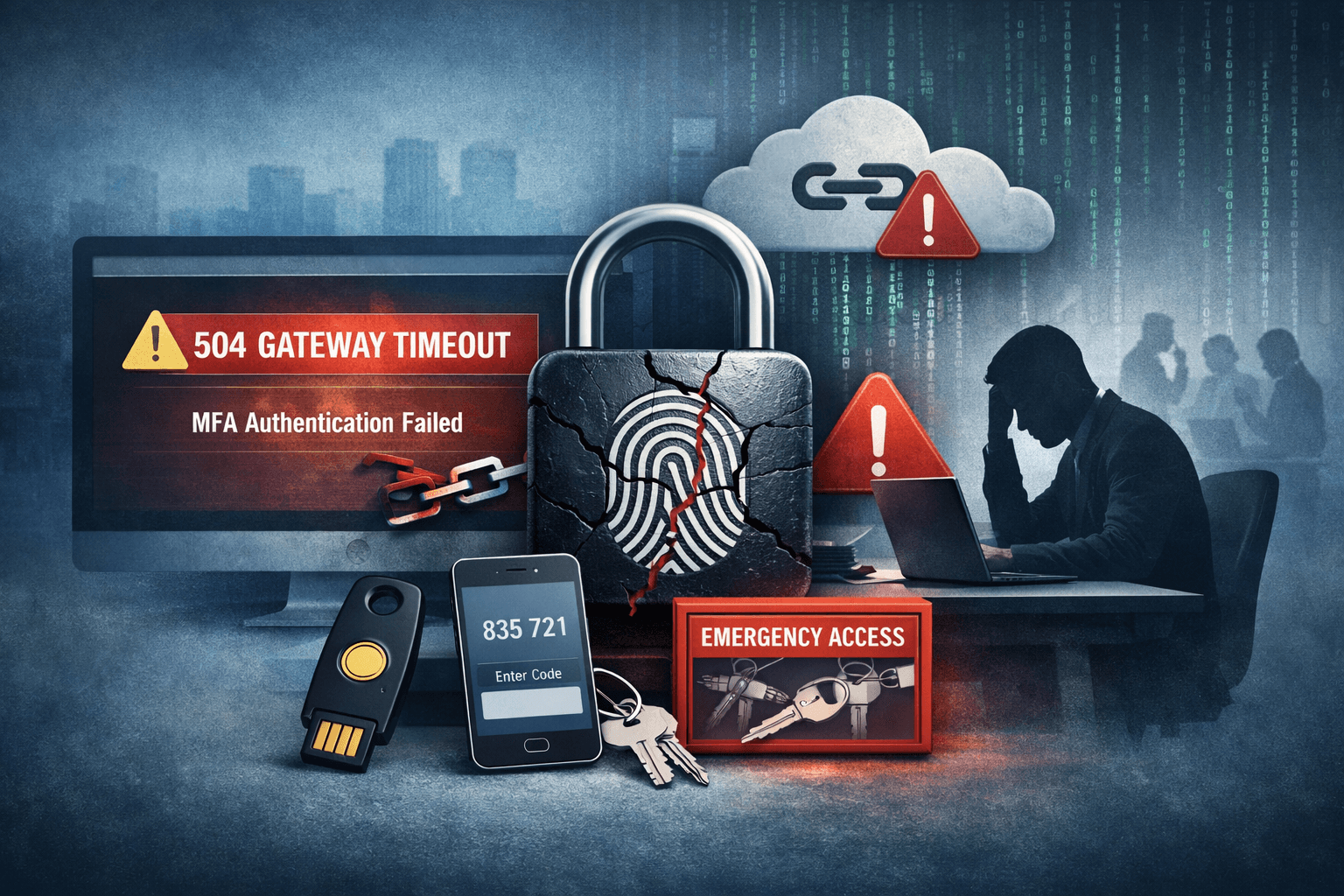
On February 23, 2026, thousands of U.S. enterprise users suddenly found themselves locked out of Microsoft 365 — not by attackers, but by the very security system designed to protect them. A wave of 504 Gateway Timeout errors during Multi-Factor Authentication (MFA) left workers unable to access email, Microsoft Teams, SharePoint, and other critical applications. For organizations that rely on MFA as the cornerstone of their Zero Trust security posture, the incident exposed a sobering reality: authentication infrastructure itself can become a single point of failure.
Microsoft confirmed it is actively investigating logs within Microsoft Entra ID (formerly Azure Active Directory) to identify the root cause. The outage disproportionately affected enterprises using Conditional Access policies and VPN authentication gated behind MFA — exactly the configurations security frameworks recommend. This article breaks down what happened, what it means for your security operations, and the concrete steps you can take to build resilience against future authentication failures.
What Happened: The Microsoft MFA Outage Explained
The Technical Failure
The incident centered on 504 Gateway Timeout errors returned during the MFA challenge phase of the authentication flow. When a user attempted to sign in to a Microsoft 365 application, the identity provider — Microsoft Entra ID — failed to complete the MFA verification step within the expected response window. Rather than failing gracefully or routing users to a backup, the service timed out entirely.
This type of failure sits at a particularly painful intersection: the authentication layer is security-critical, meaning organizations cannot simply bypass it without introducing risk, yet it is also operationally critical, meaning prolonged downtime has direct productivity and revenue consequences.
Scope of Impact
The outage affected multiple Microsoft 365 workloads simultaneously, including:
- Exchange Online (corporate email)
- Microsoft Teams (collaboration and video conferencing)
- SharePoint Online (document management)
- VPN authentication tied to Entra ID Conditional Access
- Third-party applications using Microsoft as an identity provider via OAuth 2.0
Enterprises using Conditional Access policies — which enforce MFA based on user risk, location, or device compliance — were among the hardest hit. Without a successful MFA response, Conditional Access policies blocked access entirely, as designed.
Table: Microsoft 365 Services Affected by MFA Outage
| Service | Impact Level | Primary User Impact |
|---|---|---|
| Exchange Online | High | Email access blocked |
| Microsoft Teams | High | Meetings and chat unavailable |
| SharePoint Online | Medium | Document access restricted |
| VPN (Entra-integrated) | High | Remote access fully blocked |
| Third-party SSO apps | Medium-High | Dependent on MFA flow |
Why MFA Outages Are Especially Dangerous for Enterprises
The Catch-22 of Security Dependencies
MFA is widely recognized as one of the most effective controls against identity-based attacks. The Cybersecurity and Infrastructure Security Agency (CISA) and NIST SP 800-63B both recommend MFA as a baseline requirement. Microsoft's own data suggests MFA blocks more than 99% of automated account compromise attacks (Microsoft Security Intelligence, 2024).
But that effectiveness creates a dependency problem. When MFA works, it is invisible. When it fails, it becomes a complete blocker — and the more thoroughly an organization has enforced MFA across its environment, the more completely an outage paralyzes operations.
This is the catch-22 security architects rarely discuss openly: stronger security enforcement amplifies the blast radius of authentication infrastructure failures.
Conditional Access: Strength Becomes a Liability
Conditional Access policies in Microsoft Entra ID are among the most powerful tools available for enforcing Zero Trust principles. They evaluate signals — user identity, device compliance, location, sign-in risk — and grant or deny access accordingly.
During the February 2026 outage, these policies continued to enforce correctly. The problem was that the MFA signal never arrived. Conditional Access evaluated an incomplete authentication and — correctly, from a security standpoint — denied access.
Organizations with strict Conditional Access policies, particularly those without emergency access accounts or backup authentication paths, experienced complete lockouts for affected users.
Table: Conditional Access Policy Risk During Authentication Outages
| Policy Configuration | Normal Operation | During MFA Outage |
|---|---|---|
| Require MFA for all users | Secure | Full lockout |
| Require MFA + compliant device | Highly secure | Full lockout |
| Require MFA with trusted locations exempt | Balanced | Partial access retained |
| Emergency access accounts excluded | Resilient | Admin access preserved |
| Named location bypass for on-prem | Resilient | On-prem users unaffected |
Building Authentication Resilience: Practical Enterprise Strategies
Emergency Access Accounts (Break-Glass Accounts)
Microsoft explicitly recommends maintaining emergency access accounts — sometimes called "break-glass" accounts — that are excluded from MFA and Conditional Access policies. These accounts exist solely for situations where normal administrative access is unavailable.
Best practices for emergency access accounts include:
- Store credentials in a physically secured, offline location (e.g., sealed envelope in a safe)
- Exclude these accounts from all Conditional Access policies
- Use long, complex passwords with no MFA requirement
- Configure alerts to notify security teams immediately upon sign-in
- Audit usage quarterly and rotate credentials annually
Important: Emergency access accounts must never be used for routine administration. Their sole purpose is restoring access when normal authentication paths fail. Treat them as a fire extinguisher — critical to have, dangerous to misuse.
Authentication Method Redundancy
Single-method MFA creates a single point of failure. Organizations that rely exclusively on the Microsoft Authenticator app for push notifications, for example, may find all their MFA options unavailable during a service disruption.
Consider implementing layered authentication methods:
- FIDO2 security keys (hardware-based, fully offline validation possible)
- TOTP authenticator apps (time-based one-time passwords that function without cloud connectivity)
- Certificate-based authentication for managed devices
- SMS or voice fallback (lower security, but operationally valuable during outages)
FIDO2 keys are particularly resilient because the cryptographic challenge-response occurs locally between the key and the browser — cloud service availability is required for session establishment, but the authentication mechanism itself is hardware-based.
Federated Identity and On-Premises Fallback
Organizations running Active Directory Federation Services (AD FS) on-premises retain a measure of independence from cloud authentication availability. While full hybrid configurations add complexity, they provide a genuine fallback path.
For organizations fully invested in cloud-only identity, Entra ID's Pass-Through Authentication (PTA) or Password Hash Synchronization (PHS) can provide alternative authentication paths when primary flows are degraded.
Incident Response: What to Do During an MFA Outage
Immediate Response Steps
When users begin reporting authentication failures consistent with an MFA outage, your security and IT operations teams should execute the following sequence:
- Verify the scope — Confirm whether the issue is isolated (specific users, locations, or devices) or widespread
- Check Microsoft Service Health — Review the Microsoft 365 Admin Center Service Health dashboard for active incident notifications
- Isolate the authentication path — Determine whether the failure is at the MFA step specifically or earlier in the flow
- Activate emergency access accounts — If administrative access is needed, use pre-configured break-glass accounts
- Assess Conditional Access policies — Identify whether any policies can be temporarily modified to restore access for critical users
- Communicate with stakeholders — Notify affected business units with status updates and estimated resolution timelines
- Document all actions — Maintain a timestamped log for post-incident review and potential compliance reporting
Pro Tip: Pre-draft your internal communication templates for authentication outage scenarios before an incident occurs. During an active outage, you want to execute — not compose.
Communication and Compliance Obligations
Authentication outages affecting enterprise users can trigger compliance reporting requirements depending on your regulatory environment. Security teams should be aware of the following considerations:
Table: Regulatory Considerations During Authentication Outages
| Framework | Relevant Requirement | Action During Outage |
|---|---|---|
| SOC 2 | Availability principle | Document impact and response timeline |
| ISO 27001 | Business continuity controls | Activate documented BCP procedures |
| HIPAA | Access control and audit logs | Preserve authentication logs; assess PHI access impact |
| PCI DSS | MFA for privileged access | Document compensating controls if MFA bypassed |
| GDPR | Data availability and integrity | Assess whether data access was inappropriately granted or denied |
Lessons from the Outage: Rethinking Identity Architecture
Zero Trust Does Not Mean Zero Resilience
The Zero Trust security model — "never trust, always verify" — is the right framework for modern enterprise security. But the February 2026 Microsoft MFA incident illustrates a nuance that architects must internalize: Zero Trust assumes the verification infrastructure itself is reliable.
When that infrastructure fails, organizations face a choice between two unacceptable outcomes: denying legitimate users access (operational failure) or bypassing verification controls (security failure). The only way to avoid this dilemma is to design for authentication infrastructure resilience from the beginning.
Monitoring and Alerting for Authentication Failures
Proactive monitoring of authentication infrastructure health gives security operations teams earlier warning of developing incidents. Key metrics to monitor include:
- MFA success and failure rates — A sudden spike in failures signals a potential service issue
- Authentication latency — Increasing response times often precede full outages
- Sign-in error codes — Microsoft Entra ID returns specific error codes (e.g., AADSTS errors) that can be correlated with known service issues
- Conditional Access policy evaluation failures — Distinguish between policy-denied and service-failed authentications
Integrate these metrics into your Security Information and Event Management (SIEM) platform and configure alerts with short detection windows. Authentication failures at scale are almost always detectable minutes before users begin flooding the help desk.
Key Takeaways
- Design for authentication failure from day one — emergency access accounts, fallback authentication methods, and documented response procedures are not optional
- Audit your Conditional Access policies for lockout risk and ensure at least one administrative path remains accessible during identity provider outages
- Implement FIDO2 hardware security keys or TOTP-based authenticators as resilient alternatives to cloud-dependent push notification MFA
- Monitor authentication infrastructure metrics proactively — MFA failure rate spikes and latency increases are early warning signals that precede full outages
- Maintain pre-approved incident response runbooks for authentication outages, including stakeholder communication templates and compliance documentation checklists
- Review your regulatory obligations — frameworks like SOC 2, HIPAA, and PCI DSS may require specific actions and documentation during access control failures
Conclusion
The February 2026 Microsoft MFA outage is a timely reminder that authentication infrastructure — however critical — is not immune to failure. For enterprises that have correctly implemented MFA as a foundational security control, that same implementation becomes an operational dependency. When it fails, the impact is immediate and broad.
The right response is not to weaken MFA enforcement. The right response is to build resilience into your identity architecture so that when failures occur — and they will — your organization retains the ability to respond, recover, and maintain appropriate access for critical personnel. Emergency access accounts, authentication method diversity, proactive monitoring, and tested incident response procedures are the difference between a manageable disruption and an operational crisis. Invest in that resilience now, before the next outage makes the investment urgency obvious.
Frequently Asked Questions
Q: What caused the Microsoft MFA outage on February 23, 2026?
A: Microsoft confirmed a service degradation affecting MFA in Microsoft Entra ID, resulting in 504 Gateway Timeout errors during the authentication challenge phase. As of the time of reporting, Microsoft was actively investigating Entra ID logs to identify the root cause; a definitive postmortem had not yet been published.
Q: Which Microsoft 365 services were affected by the MFA outage?
A: The outage affected multiple services gated behind MFA, including Exchange Online (email), Microsoft Teams, SharePoint Online, and VPN solutions integrated with Entra ID Conditional Access. Third-party applications using Microsoft as a Single Sign-On (SSO) identity provider were also impacted.
Q: How can enterprises prevent complete lockouts during future MFA outages?
A: The most effective controls are pre-configured emergency access (break-glass) accounts excluded from Conditional Access policies, hardware-based FIDO2 security keys or TOTP authenticator apps as backup MFA methods, and documented incident response runbooks that include conditional access policy modification procedures.
Q: Does an MFA outage create compliance reporting obligations under HIPAA or PCI DSS?
A: It depends on the specifics of the outage and your organization's response. If compensating controls were implemented that temporarily bypassed MFA requirements, PCI DSS requires documentation of those compensating controls. HIPAA-covered entities should assess whether protected health information (PHI) was inaccessible or potentially accessed through degraded controls, and document the incident accordingly.
Q: Is Zero Trust architecture still recommended after this type of incident?
A: Yes — Zero Trust remains the correct framework for enterprise security. However, this incident highlights the need to design authentication infrastructure resilience into Zero Trust implementations. Zero Trust assumes verification mechanisms are reliable; organizations must account for scenarios where that assumption breaks down by building layered fallback paths and tested recovery procedures.

Enjoyed this article?
Subscribe for more cybersecurity insights.