
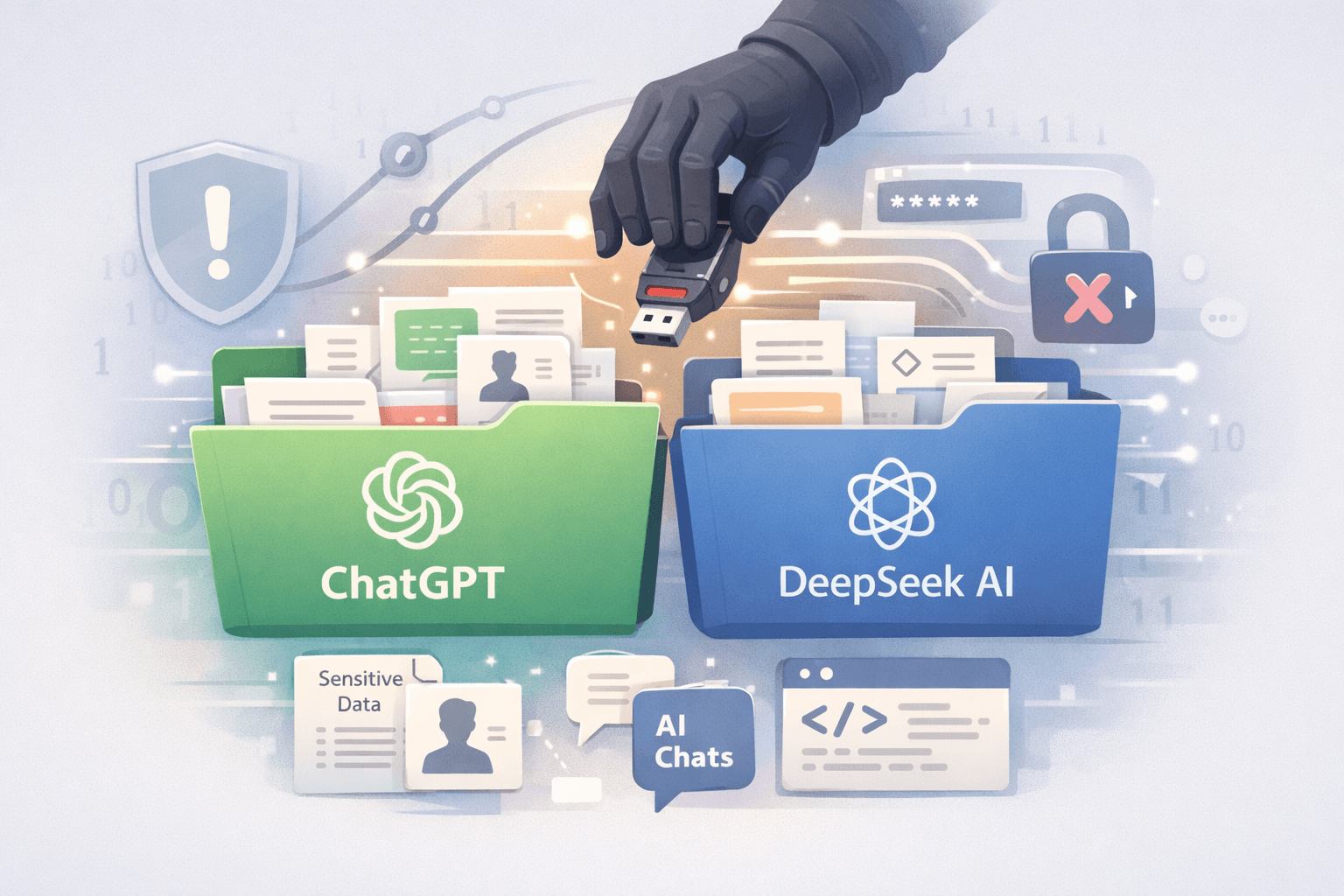
Security researchers have exposed a troubling campaign targeting AI users through fraudulent Chrome extensions. Two malicious add-ons disguised as legitimate AITOPIA tools have infected approximately 900,000 devices, systematically exfiltrating ChatGPT conversations, DeepSeek interactions, and browsing data to attacker-controlled servers. This incident highlights a growing threat researchers call "prompt poaching," where extensions harvest AI-generated content containing sensitive corporate information, proprietary code, and personal data.
The compromised extensions employed social engineering tactics by requesting permission for "anonymous analytics" while covertly scanning web pages for AI chat elements. Once active, they captured complete conversation threads and transmitted them to infrastructure hosted on the Lovable AI development platform. This campaign represents a significant escalation in browser-based threats, particularly as organizations increasingly integrate AI assistants into daily workflows without adequate security oversight.
Understanding the Threat: How Malicious Extensions Exploit AI Users
The Mechanics of Prompt Poaching
Prompt poaching represents a sophisticated evolution in data theft methodologies. Unlike traditional keyloggers that capture raw input, these extensions specifically target AI chat interfaces to extract structured conversations containing both user queries and AI responses. The malicious code identifies chat elements within web pages, copies entire discussion threads, and packages them for exfiltration.
The stolen data often includes:
- Source code shared for debugging or development
- Business strategies discussed during brainstorming sessions
- Confidential documents uploaded for analysis or summarization
- Personal information used in AI-assisted tasks
- Proprietary algorithms and technical specifications
Social Engineering Tactics
The attackers leveraged multiple deception techniques to build false trust. By impersonating AITOPIA, a recognized tool brand, they exploited user familiarity and bypassed initial skepticism. The "anonymous analytics" permission request appeared legitimate, mirroring standard practices by mainstream extensions.
Important: Chrome Web Store badges like "Featured" or high installation counts no longer guarantee safety. Attackers compromise legitimate extensions or create convincing replicas that accumulate installations before detection.
Data Exfiltration Infrastructure
The campaign utilized Lovable AI's development platform to host command-and-control infrastructure. This approach provided several advantages for attackers:
- Legitimate-appearing domains that bypass basic security filters
- Cloud infrastructure that scales with victim count
- Automated data collection and storage capabilities
- Reduced attribution risks through platform anonymity
Table: Attack Timeline and Impact
| Phase | Action | User Impact | Detection Difficulty |
|---|---|---|---|
| Installation | User adds extension from Chrome Web Store | Minimal - appears as productivity tool | Low - mimics legitimate software |
| Permission Request | "Anonymous analytics" approval prompt | Moderate - seems like standard practice | Low - normalized user behavior |
| Data Collection | Continuous scanning of AI chat interfaces | High - all conversations captured | Moderate - runs in background |
| Exfiltration | Periodic uploads to attacker servers | Critical - sensitive data compromised | High - encrypted traffic appears normal |
The Broader Landscape: Legitimate Extensions with Concerning Practices
Analytics vs. Exploitation
The line between legitimate analytics and data theft has become dangerously blurred. Some established extensions have updated their data-collection practices in ways that may include AI prompt and response content, according to published privacy policies and independent security research, sometimes disclosed within lengthy privacy documents. While these companies may not engage in outright theft, their practices create precedents that normalize invasive monitoring.
This normalization benefits malicious actors who can point to mainstream extensions as justification for similar permissions. Users become desensitized to broad data-access requests, creating an environment where truly malicious extensions operate undetected alongside questionable-but-legal alternatives.
The Urban VPN Precedent
Prior to this AITOPIA campaign, researchers identified Urban VPN Proxy harvesting AI chat data. The extension, which maintained millions of installations, demonstrated that even tools with legitimate primary functions could incorporate secondary data collection targeting AI interactions. This established pattern suggests organized efforts to monetize AI-generated content.
The recurring theme across these incidents involves extensions that:
- Maintain plausible primary functionality
- Request broad permissions justified by stated features
- Implement hidden data collection targeting specific content types
- Operate for extended periods before detection
Risk Assessment by Extension Category
Table: Extension Risk Profiles
| Extension Type | Primary Risk | Data Exposure Level | Mitigation Priority |
|---|---|---|---|
| VPN Services | Network traffic interception | Critical - all browsing activity | Immediate review |
| Productivity Tools | Screen content access | High - work-related information | High priority |
| Analytics Extensions | Behavioral tracking | Moderate to High - usage patterns | Medium priority |
| AI Assistants | Chat content capture | Critical - sensitive conversations | Immediate removal |
| Ad Blockers | Page content manipulation | Moderate - browsing habits | Review permissions |
Organizational Impact and Enterprise Risks
Corporate Intelligence Exposure
When employees use compromised extensions on work devices or personal devices accessing corporate resources, organizations face severe exposure risks. AI conversations frequently involve discussions of upcoming products, strategic plans, technical architectures, and customer information that competitors or hostile actors could exploit.
A single compromised extension can provide adversaries with:
- Real-time insight into product development cycles
- Access to proprietary algorithms and methodologies
- Understanding of internal security measures and vulnerabilities
- Competitive intelligence on pricing strategies and market positioning
- Employee credentials and access patterns for social engineering
Compliance and Regulatory Implications
Organizations subject to data protection regulations face potential violations when employee extensions exfiltrate sensitive information. Under frameworks like GDPR, HIPAA, and PCI DSS, companies bear responsibility for protecting covered data regardless of how breaches occur.
Pro Tip: Document your extension management policies and employee training programs. In the event of a breach investigation, demonstrated due diligence in endpoint security can mitigate regulatory penalties.
Supply Chain Considerations
Third-party contractors and partners using compromised extensions while accessing your systems create supply chain vulnerabilities. The SolarWinds breach demonstrated how sophisticated actors leverage trusted relationships and legitimate tools to penetrate target organizations. Browser extensions represent similar vectors with far lower barriers to exploitation.
Implementing Defensive Measures
Immediate Response Actions
Organizations and individuals discovering potentially compromised extensions should execute the following steps immediately:
- Remove suspicious extensions from all browsers across all devices
- Review extension permissions for remaining add-ons, removing those with excessive access
- Audit AI conversation history for sensitive information that may have been exposed
- Change credentials for accounts accessed while extensions were active
- Notify security teams if corporate data may have been compromised
- Monitor for unusual activity including unauthorized access attempts or phishing campaigns
Extension Vetting Framework
Before installing any browser extension, apply this evaluation framework:
Table: Extension Security Checklist
| Evaluation Criteria | Red Flags | Acceptable Indicators | Verification Method |
|---|---|---|---|
| Developer Identity | Anonymous, no contact info | Established company with web presence | Check developer website independently |
| Permission Scope | Access to all websites, read data | Limited to specific domains/functions | Review permission details carefully |
| Privacy Policy | Vague or missing | Clear data practices, specific retention | Read policy before installation |
| User Reviews | Recent surge, generic positive feedback | Consistent feedback over time | Check review dates and specificity |
| Update History | Irregular or suspicious changes | Regular maintenance, transparent changelog | Review Chrome Web Store listing history |
Enterprise Policy Recommendations
Organizations should implement comprehensive browser extension management:
- Whitelist-only approach: Permit only pre-approved extensions necessary for business functions
- Centralized management: Deploy extensions via MDM solutions rather than user discretion
- Regular audits: Quarterly reviews of installed extensions across all endpoints
- User education: Training on extension risks and identification of suspicious requests
- Monitoring integration: SIEM alerts for extension installations or permission changes
- Incident response plans: Documented procedures for handling compromised extensions
Technical Controls
Deploy technical safeguards to limit extension-based threats:
- Browser policies enforcing extension restrictions through Group Policy or similar mechanisms
- Network monitoring to detect unusual data exfiltration patterns from browser processes
- Endpoint DLP configured to alert on large data transfers from browser contexts
- Application control solutions that restrict extension installation privileges
- Sandboxing for browsers accessing sensitive resources, limiting extension capabilities
Industry Response and Future Trends
Chrome Web Store Security Evolution
Google has implemented enhanced review processes following high-profile extension compromises, including automated analysis of code changes and behavioral monitoring post-publication. However, the scale of the Chrome Web Store ecosystem (over 200,000 extensions) and sophisticated evasion techniques employed by attackers create ongoing challenges.
Recent improvements include:
- Enhanced static and dynamic analysis during review
- Machine learning models detecting malicious patterns
- Faster takedown procedures for reported extensions
- Developer verification requirements for sensitive permissions
- Transparency reports on enforcement actions
Despite these measures, the reactive nature of current approaches means malicious extensions often operate for weeks or months before detection, accumulating substantial installation bases.
The Monetization Imperative
Understanding attacker motivations reveals why prompt poaching has emerged as a priority target. AI conversations represent high-value data that can be:
- Sold on underground markets to competitors seeking intelligence
- Used to train competing AI models without authorization
- Leveraged for targeted social engineering and business email compromise
- Analyzed to identify vulnerable organizations for subsequent attacks
- Aggregated to understand emerging technologies and research directions
This economic incentive ensures continued evolution of techniques targeting AI users, necessitating ongoing vigilance and adaptation of defensive measures.
Emerging Threat Vectors
As browser security improves, attackers are exploring adjacent vectors:
- Native AI applications that request similar permissions without browser store oversight
- Mobile AI apps with less mature security review processes
- AI API integrations in third-party tools that capture and transmit prompts
- Browser sync exploitation where compromised extensions propagate across devices
- Generative AI tools themselves potentially collecting training data from user interactions
Organizations must expand security considerations beyond traditional endpoints to encompass the entire AI interaction ecosystem.
Key Takeaways
- Remove any Chrome extensions mimicking AITOPIA or requesting broad AI chat access immediately
- Audit all installed extensions for excessive permissions and questionable data collection practices
- Implement whitelist-only extension policies for enterprise environments to prevent unauthorized installations
- Treat AI conversations as potentially sensitive data requiring the same protections as other confidential communications
- Stay informed about prompt poaching trends as this threat vector will continue evolving
- Educate users that Chrome Web Store badges and installation counts no longer indicate trustworthiness
Conclusion
The compromise of approximately 900,000 users through malicious AITOPIA-impersonating extensions represents more than an isolated incident. It signals a fundamental shift in how adversaries target modern workflows centered on AI assistance. As organizations increasingly depend on AI tools for coding, document analysis, and strategic planning, browser extensions capturing these interactions provide unprecedented access to sensitive information.
The prompt poaching trend will intensify as the economic value of AI-generated content becomes clearer to attackers. Traditional security measures focused on malware detection and network perimeter defense prove insufficient against threats that operate through legitimate browser mechanisms with user-granted permissions. Organizations must adapt security frameworks to address browser extension risks with the same rigor applied to other critical threat vectors.
Moving forward, adopt a zero-trust approach to browser extensions. Question every permission request, verify developer legitimacy through independent research, and assume that any data shared in AI conversations may be captured and exploited. By combining technical controls with user education and proactive monitoring, organizations can maintain the productivity benefits of AI tools while minimizing exposure to this emerging class of threats. Because browser extensions evolve rapidly, organizations should treat extension security as a continuous risk-management process rather than a one-time audit.
Frequently Asked Questions
Q: How can I tell if I have one of the malicious AITOPIA extensions installed?
A: Navigate to chrome://extensions in your browser and look for extensions with "AITOPIA" in the name or description that you don't recall installing. Check for any extensions requesting permissions to "read and change all your data on the websites you visit." Remove any suspicious extensions immediately and review your recent AI conversations for sensitive information that may have been compromised.
Q: What should organizations do if employees have used these extensions on corporate devices?
A: Immediately remove the extensions from all affected devices and conduct a data exposure assessment reviewing what information may have been shared in AI conversations during the compromise period. Change credentials for accessed systems, monitor for unusual activity, and notify appropriate stakeholders including security teams, legal counsel, and potentially affected customers depending on exposure severity and regulatory requirements.
Q: Are AI conversations actually stored by these extensions, or just monitored in real-time?
A: Based on researcher findings, these extensions capture complete conversation threads and upload them to attacker-controlled servers where they are stored indefinitely. This means all historical conversations during the infection period are compromised, not just actively monitored sessions. The stored data can be analyzed, sold, or weaponized long after the extension is removed.
Q: Will removing the extension prevent further data collection?
A: Yes, removing the malicious extension stops ongoing data collection from your browser. However, any information already exfiltrated remains in attacker possession. Focus on damage control by assessing what was exposed, changing credentials, and monitoring for suspicious activity that might indicate adversaries are exploiting the stolen data through phishing attempts or unauthorized access.
Q: How do "Featured" extensions in the Chrome Web Store become compromised?
A: Extensions can earn featured status or accumulate large installation bases while operating legitimately, then introduce malicious code through updates that bypass less rigorous review processes. Alternatively, attackers compromise legitimate developer accounts and push malicious updates to established extensions. Some malicious extensions also achieve featured status through manipulation of metrics or by initially operating cleanly before activating data collection functionality after achieving widespread distribution.

Enjoyed this article?
Subscribe for more cybersecurity insights.