
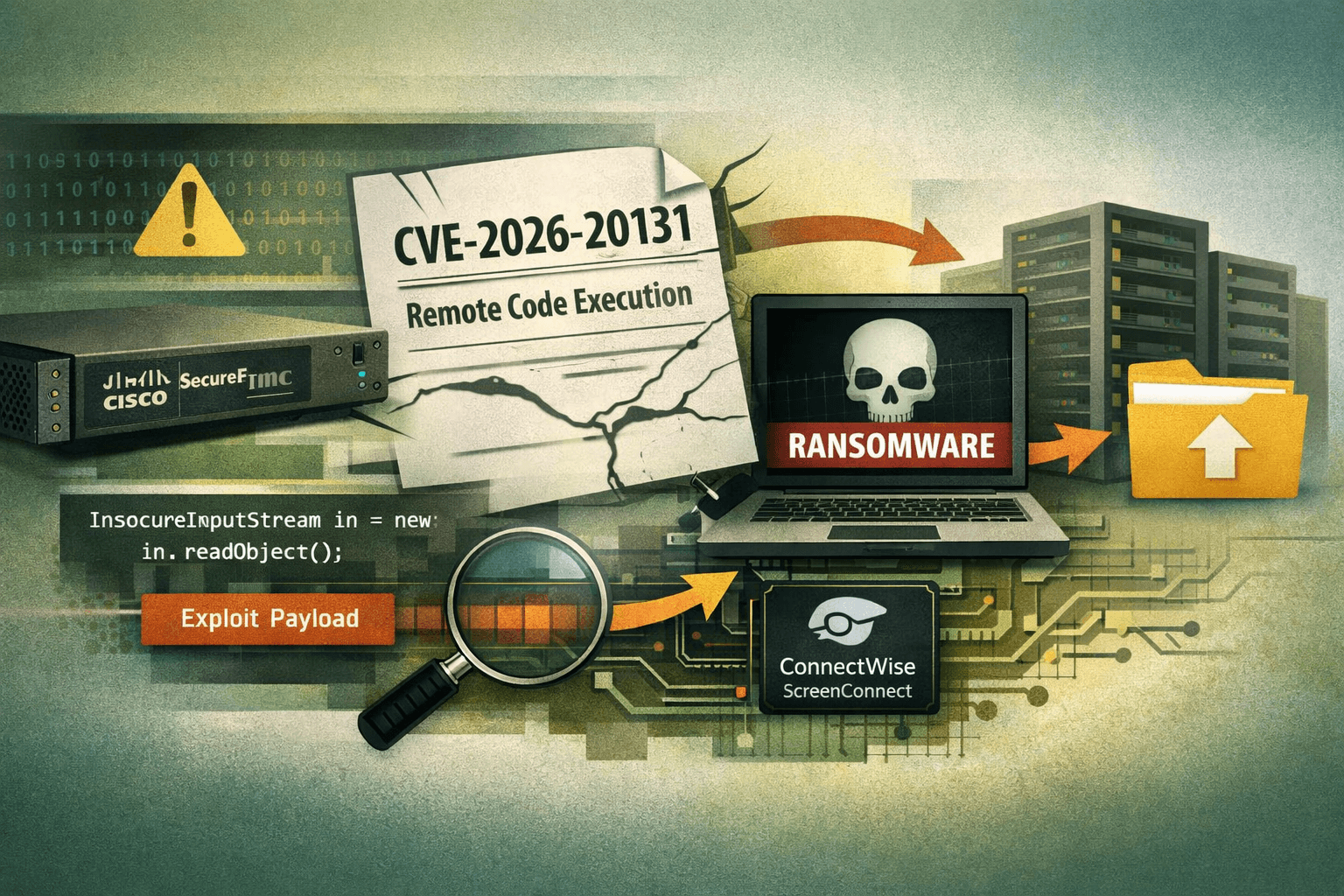
A ransomware group has already weaponized a critical Cisco vulnerability—weeks before the vendor even knew it was being exploited. According to Amazon threat intelligence, the Interlock ransomware group was actively exploiting CVE-2026-20131, a critical flaw in Cisco Secure Firewall Management Center (FMC), as early as January 26, 2026—more than a month before Cisco's public disclosure on March 4, 2026 (Amazon Threat Intel, 2026). That timeline defines a true zero-day: a window during which every organization running Cisco FMC was exposed with no patch available and no official warning.
This attack chain is notable not just for the exploit itself, but for everything that follows it. Interlock combines a fileless memory-resident webshell with legitimate administrative tools to move through networks quietly before deploying ransomware. For security teams, detecting this intrusion requires understanding each phase of the attack. This post breaks down CVE-2026-20131, Interlock's post-exploitation playbook, detection strategies, and the immediate steps your organization should take right now.
Understanding CVE-2026-20131: The Vulnerability Explained
CVE-2026-20131 is an insecure deserialization flaw in the web interface of Cisco Secure FMC. When a Java application deserializes untrusted data without proper validation, an attacker can craft a malicious serialized object that triggers arbitrary code execution upon deserialization. In this case, the flaw requires no authentication—an unauthenticated remote attacker can send a specially crafted HTTP request to the FMC management interface and achieve remote code execution (RCE) as root.
Why Insecure Deserialization Is So Dangerous
Java deserialization vulnerabilities consistently rank among the most severe classes of web application flaws. MITRE ATT&CK catalogues this under T1190: Exploit Public-Facing Application. The danger is compounded when the vulnerable application runs with elevated privileges—as FMC does—because root-level RCE gives an attacker complete control of the management plane for your entire firewall environment.
Severity and Scope
The vulnerability carries a CVSS score of 9.8 (Critical), reflecting its combination of network accessibility, low attack complexity, no required privileges, and no user interaction. Organizations that expose their FMC management interface to the internet—or to any untrusted network segment—should treat this as an active compromise scenario until patching and log review are complete.
Table: CVE-2026-20131 Vulnerability Profile
| Attribute | Detail |
|---|---|
| CVE ID | CVE-2026-20131 |
| Affected Product | Cisco Secure Firewall Management Center (FMC) |
| Vulnerability Class | Insecure Java Deserialization |
| Authentication Required | None |
| Attack Vector | Network (Remote) |
| Privileges Granted | Root / System |
| CVSS Score | 9.8 (Critical) |
| First Exploited (confirmed) | January 26, 2026 |
| Cisco Disclosure Date | March 4, 2026 |
Interlock's Multi-Stage Attack Chain
Interlock does not rely solely on the initial exploit. The group follows a disciplined post-exploitation sequence designed to establish persistence, evade detection, and stage ransomware before defenders can respond.
Stage 1: Initial Access via Memory-Resident Webshell
After achieving root RCE through CVE-2026-20131, Interlock deploys a fileless Java webshell directly into the FMC process memory. This webshell intercepts incoming HTTP requests and executes commands carried in AES-128–encrypted payloads. Because the implant lives entirely in memory—writing no files to disk—signature-based endpoint detection tools see nothing. Traditional file integrity monitoring produces no alerts. Even a full filesystem scan returns clean results.
This technique maps directly to MITRE ATT&CK T1505.003: Server Software Component – Web Shell and T1055: Process Injection. Defenders relying on endpoint detection response (EDR) tools that depend primarily on file-based signatures will miss this implant entirely without memory scanning capabilities.
Stage 2: Lateral Movement with Legitimate Tools
With a stable foothold on the FMC host, Interlock shifts to lateral movement using a mix of legitimate administrative utilities and custom malware:
- ConnectWise ScreenConnect — used for remote access tunneling and to maintain operator connectivity across the network
- Volatility — the open-source memory forensics framework, used here offensively to extract credentials from process memory
- Certify — an Active Directory certificate services abuse tool used to escalate privileges and establish persistence via certificate-based authentication
- Custom malware payloads for lateral movement between internal systems
Important: The deliberate use of legitimate tools—a technique known as "living off the land" (LOTL)—dramatically reduces the group's detection footprint. Security tools that whitelist ConnectWise ScreenConnect or don't baseline Volatility usage will not flag these activities.
Stage 3: Pre-Ransomware Staging
Before deploying ransomware, Interlock typically spends time on data exfiltration and environment enumeration to maximize leverage. Defenders who catch the group in this phase can prevent encryption. The full kill chain is summarized in the table below.
Table: Interlock Attack Chain Mapped to MITRE ATT&CK
| Phase | Technique | MITRE ID | Tool / Method |
|---|---|---|---|
| Initial Access | Exploit public-facing application | T1190 | CVE-2026-20131 (FMC RCE) |
| Persistence | Web shell (fileless) | T1505.003 | Memory-resident Java webshell |
| Command & Control | Encrypted channel | T1573 | AES-128 HTTP C2 |
| Credential Access | Credential dumping from memory | T1003 | Volatility |
| Privilege Escalation | AD CS abuse | T1649 | Certify |
| Lateral Movement | Remote access software | T1219 | ConnectWise ScreenConnect |
| Impact | Data encrypted for impact | T1486 | Custom ransomware payload |
Detection Strategies for This Threat
Detecting Interlock's activity requires a layered approach. No single control catches the full kill chain. Your detection strategy must address the initial exploit, the in-memory implant, and post-exploitation tooling.
Detecting the Initial Exploit
Review FMC web server logs for anomalous deserialization-related requests. Look for:
- Unexpected POST requests to FMC management interface endpoints, especially from external or untrusted sources
- HTTP 200 responses to requests that should not be processed by unauthenticated users
- Unusual Java exception traces or errors logged around the time of suspected access
- Any access originating from IP addresses not matching your administrative access control list (ACL)
Detecting the In-Memory Webshell
Because the webshell is fileless, detection requires behavioral and memory-based analysis:
- Enable memory scanning on FMC hosts if your EDR platform supports it; look for injected Java threads or unusual JVM heap activity
- Monitor outbound network connections from FMC hosts—management-plane devices should have tightly scoped, predictable network behavior; any new outbound connection is suspicious
- Inspect encrypted HTTP traffic patterns; AES-128 command payloads create statistical anomalies in traffic entropy that network detection and response (NDR) tools can flag
Detecting Post-Exploitation Tooling
Pro Tip: Create specific detection rules for ConnectWise ScreenConnect, Volatility, and Certify when executed in the context of service accounts or network infrastructure hosts. These tools are legitimate in certain workflows, but their presence on a firewall management server has no valid operational explanation.
Table: Detection Opportunities by Attack Phase
| Attack Phase | Detection Source | What to Look For |
|---|---|---|
| Initial exploit | FMC access logs | Unauthenticated POST to management API |
| Memory webshell | EDR memory scan / NDR | Injected JVM threads; encrypted HTTP entropy |
| Credential dumping | Windows event logs | LSASS access; unusual memory reads |
| AD CS abuse | Active Directory logs | Certificate requests from unexpected hosts |
| ScreenConnect use | Network logs / SIEM | ScreenConnect binary on infrastructure hosts |
| Ransomware staging | File activity monitoring | Mass file rename/encryption activity |
Immediate Incident Response Priorities
If your organization runs Cisco Secure FMC, treat this as a P1 incident until you complete all steps below. Organizations that have already applied Cisco's March 2026 patch must still investigate whether exploitation occurred during the zero-day window.
Emergency Patching
- Apply Cisco's security advisory patch for CVE-2026-20131 immediately—do not wait for a scheduled maintenance window
- Verify patch application by confirming the updated FMC software version against Cisco's advisory
- Restrict FMC management interface access to known administrative IP ranges via ACL or firewall rule—the management interface should never be reachable from the open internet
- Enable multi-factor authentication (MFA) on all FMC administrative accounts if not already enforced
Forensic Log Review
- Pull FMC web server and access logs from January 26, 2026, forward—this is the confirmed start date of exploitation
- Search for indicators of compromise (IOCs) associated with CVE-2026-20131 exploitation using Cisco's advisory guidance and available threat intelligence feeds
- Audit all administrative sessions on FMC during the exposure window; treat any unrecognized session as potentially malicious
- Check Active Directory certificate services logs for certificate requests originating from FMC hosts or service accounts associated with FMC
Containment and Recovery
- If exploitation is confirmed or suspected, isolate the FMC host from the network before beginning remediation
- Engage your incident response retainer or internal IR team; memory forensics capability is required to confirm or rule out the in-memory webshell
Table: Response Priority Matrix
| Action | Priority | Timeframe | Owner |
|---|---|---|---|
| Apply CVE-2026-20131 patch | Critical | Immediate | IT Operations |
| Restrict FMC network access | Critical | Immediate | Network Security |
| Review FMC logs (Jan 26 onward) | Critical | Within 24 hours | SOC / IR Team |
| Memory scan FMC host | High | Within 24 hours | EDR / IR Team |
| Audit AD CS certificate requests | High | Within 48 hours | Identity Team |
| Hunt for ScreenConnect on infra hosts | High | Within 48 hours | SOC |
| Full IR engagement if IOCs found | Critical | Immediate upon confirmation | CISO / IR Lead |
Compliance and Governance Implications
This incident has direct implications for organizations operating under major compliance frameworks. FMC hosts typically sit within regulated environments because they manage the security controls protecting sensitive data in scope for PCI DSS, HIPAA, and SOC 2 assessments.
Framework Alignment
Under NIST SP 800-61 (Computer Security Incident Handling Guide), organizations are required to have established procedures for detecting, containing, and recovering from incidents of this severity. Failure to patch a known critical vulnerability within a reasonable timeframe—or failure to detect active exploitation—can constitute a control failure under multiple frameworks.
ISO/IEC 27001 Annex A control A.12.6.1 (management of technical vulnerabilities) requires organizations to obtain timely information about technical vulnerabilities and assess their exposure. The Interlock campaign demonstrates that threat intelligence feeds and vendor advisories alone are insufficient when adversaries achieve zero-day exploitation weeks before disclosure.
CIS Control 7 (Continuous Vulnerability Management) specifically addresses the need for automated patching and vulnerability scanning. Organizations with mature CIS Control 7 implementations should evaluate whether their patching SLAs need revision to account for zero-day scenarios—where vendor advisories lag actual exploitation.
Key Takeaways
- Patch CVE-2026-20131 immediately—Cisco FMC systems running unpatched software should be treated as potentially compromised, not merely at risk
- Restrict FMC management interface access to administrative IP ranges via ACL; this single control would have prevented the initial exploit vector for many organizations
- Review FMC logs dating back to January 26, 2026—this is the confirmed start of Interlock's exploitation campaign, predating Cisco's disclosure by over a month
- Deploy memory scanning on management-plane infrastructure; fileless webshells are invisible to file-based detection and require behavioral or memory-resident analysis
- Build detections for living-off-the-land tools in unexpected contexts—ConnectWise ScreenConnect and Volatility on a firewall management server are unambiguous red flags
- Test your IR plan against zero-day scenarios where vendor advisories are unavailable; threat intelligence subscriptions that provide pre-advisory IOC data are operationally valuable
Conclusion
The Interlock campaign against Cisco Secure FMC illustrates a threat pattern that security teams must internalize: sophisticated ransomware groups are moving faster than vendor disclosure timelines. By the time Cisco published its advisory on March 4, 2026, Interlock had already spent five weeks operating inside networks that had no patch, no official advisory, and no IOCs to hunt for.
Your response to this specific campaign is straightforward—patch, restrict access, and review logs. But the broader lesson is about posture. Organizations that rely solely on vendor advisories to drive patching urgency will always be behind in this environment. Proactive threat intelligence, memory-capable detection tooling, and network segmentation that limits what a compromised management-plane host can reach are the controls that compress attacker dwell time. Start with the immediate actions outlined here, then use this incident as the forcing function to stress-test your zero-day response procedures.
Frequently Asked Questions
Q: What versions of Cisco Secure FMC are affected by CVE-2026-20131? A: Consult Cisco's official security advisory for the definitive list of affected versions and fixed releases. As a general principle, any FMC instance that has not been updated to a version explicitly listed as fixed in the advisory should be treated as vulnerable and patched as an emergency priority.
Q: How can I tell if my FMC was compromised before I patched it? A: Review your FMC web server access logs from January 26, 2026, forward for anomalous unauthenticated requests to management API endpoints, and look for unexpected outbound network connections from the FMC host. Because the webshell is memory-resident and fileless, a clean filesystem scan is not sufficient—engage a memory forensics capability or your incident response team if you have any period of exposure.
Q: Is this vulnerability exploitable if FMC is not internet-facing? A: The vulnerability requires network access to the FMC management interface, but "not internet-facing" does not mean "not exploitable." If an attacker has already compromised a host on a network segment that can reach FMC—via a phishing compromise, a VPN credential theft, or any other initial access vector—they can pivot to exploit CVE-2026-20131 from that internal position. Restricting access via ACL reduces but does not eliminate risk.
Q: Does applying the patch remove any existing webshell or compromise? A: No. Patching closes the initial access vulnerability but does not remediate an active compromise. The in-memory webshell and any lateral movement activity that occurred before patching persist independently. If exploitation occurred during the zero-day window, you must complete a full incident response investigation—including memory forensics on FMC and review of downstream systems—regardless of patch status.
Q: What threat intelligence sources provide early warning for zero-day exploitation like this? A: Commercial threat intelligence platforms that aggregate data from incident response engagements, honeypot networks, and dark web monitoring can surface exploitation activity before vendor disclosure. Government sources such as CISA's Known Exploited Vulnerabilities (KEV) catalog and sector-specific ISACs also publish indicators. In this case, Amazon's threat intelligence team identified exploitation approximately five weeks before Cisco's advisory—highlighting the value of cloud provider threat intelligence as a supplementary feed for enterprise security teams.

Enjoyed this article?
Subscribe for more cybersecurity insights.