
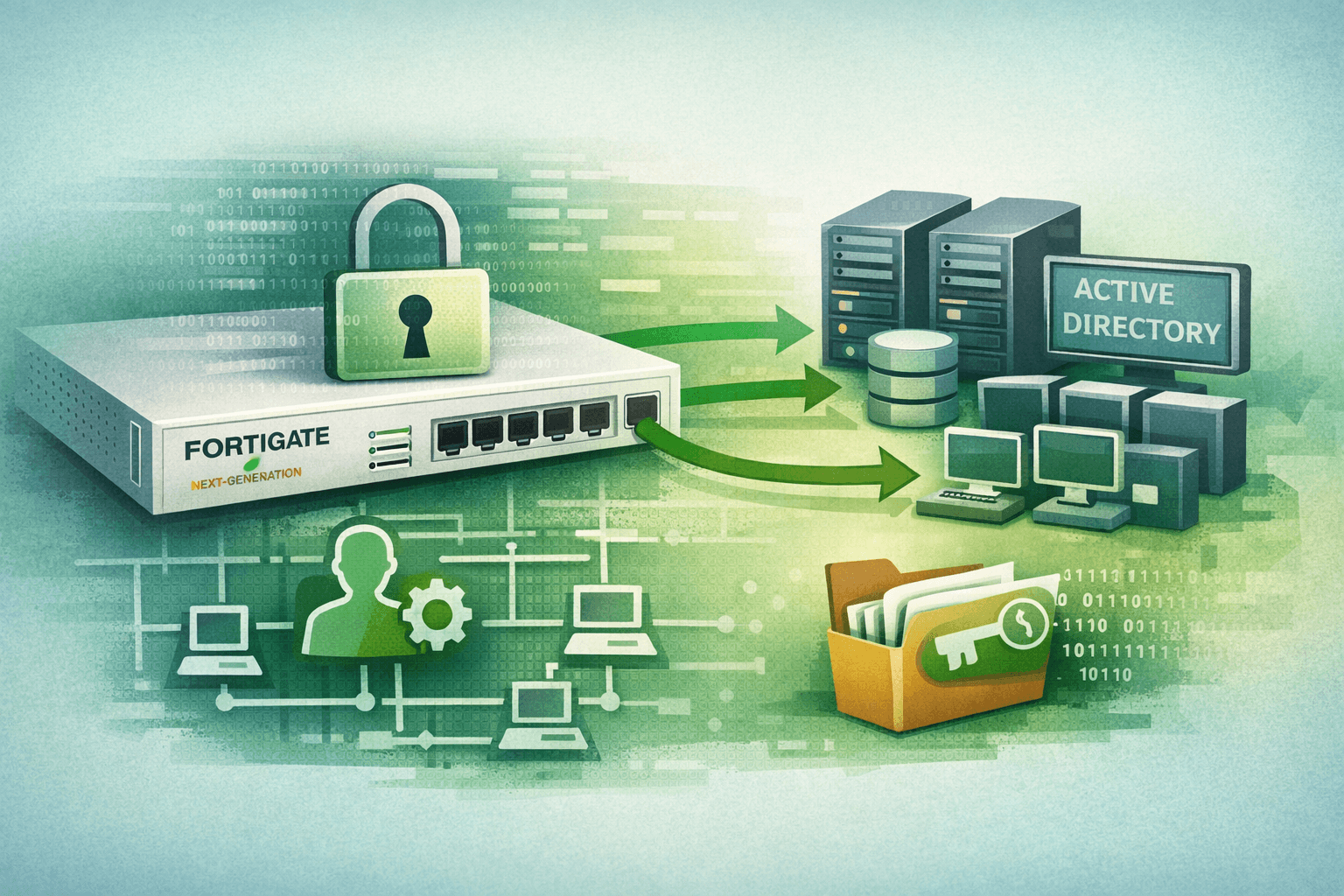
In late 2025, a threat actor quietly created a local admin account on a FortiGate next-generation firewall (NGFW) — and no one noticed for months. By the time defenders caught the intrusion, the attacker had extracted the firewall's configuration, decrypted stored LDAP credentials, enrolled rogue workstations into Active Directory (AD), and was actively scanning the internal network. The breach didn't start with a phishing email or a compromised endpoint. It started with the device organizations rely on most to keep attackers out.
FortiGate appliances are among the most widely deployed NGFWs in the world, particularly in healthcare, government, and managed service provider (MSP) environments. That ubiquity makes them high-value targets. Understanding how these attacks unfold — and what you can do to stop them — is no longer optional for security teams protecting critical infrastructure.
How Attackers Exploit FortiGate Appliances as Initial Access Points
The attack pattern documented by SentinelOne and other threat intelligence teams follows a deliberate, multi-stage playbook. Attackers gain initial access through one of two primary vectors: exploiting newly disclosed vulnerabilities in FortiOS before patches are applied, or authenticating with weak or default credentials that were never changed during deployment.
Vulnerability Exploitation and the Patch Gap Problem
FortiGate vulnerabilities have drawn significant attention in recent years. Critical authentication bypass and remote code execution flaws — including CVE-2022-42475, CVE-2023-27997, and several disclosed in 2024 — have been actively exploited in the wild, often within days of public disclosure (CISA, 2024). Many organizations operate on monthly or quarterly patching cycles, which leaves a dangerous window of exposure.
The MITRE ATT&CK framework categorizes this behavior under T1190 (Exploit Public-Facing Application). Attackers monitor vulnerability disclosures closely and often move faster than enterprise patch management processes allow.
Key vulnerabilities that have been leveraged against FortiGate devices include:
- Authentication bypass flaws allowing unauthenticated admin access
- SSL-VPN heap overflow vulnerabilities enabling remote code execution
- Web management interface exploits granting configuration read/write access
- Credential exposure bugs that leak hashed or cleartext passwords from memory
Default and Weak Credential Abuse
Where exploits aren't available, credentials often are. Many FortiGate deployments still use default administrative usernames or passwords set during initial configuration and never rotated. In the documented 2025 case, the attacker created a new local admin user named "support" — a generic, inconspicuous name designed to blend into legitimate service account naming conventions.
Pro Tip: Audit all local admin accounts on your FortiGate appliances quarterly. Any account you didn't create intentionally is a red flag. Cross-reference against your change management records.
Once authenticated, the attacker added firewall policies granting the "support" account unrestricted traversal across all network zones — effectively turning perimeter security into a free pass.
The Lateral Movement Chain: From Firewall to Active Directory
What makes this attack pattern particularly dangerous is how the firewall becomes a pivot point into the broader identity infrastructure. The initial access phase may last weeks or months before active exploitation begins, making early detection extremely difficult.
Configuration Extraction and Credential Decryption
Months after establishing persistence, the threat actor extracted the full FortiGate configuration file. FortiGate stores LDAP service account credentials in its configuration to support directory lookups and authentication. While these credentials appear encrypted at rest, the encryption is reversible — attackers with access to the configuration can decrypt stored LDAP credentials and recover cleartext passwords.
This is a critical design consideration that many security architects overlook. Service account credentials stored on network appliances represent a hidden attack surface. Once decrypted, those credentials gave the attacker valid AD authentication without triggering brute-force detection or lockout policies.
Table: FortiGate Attack Chain Stages
| Stage | Attacker Action | Technique (MITRE ATT&CK) | Detection Opportunity |
|---|---|---|---|
| Initial Access | Exploit vulnerability or weak credentials | T1190, T1078 | Failed login spikes, anomalous admin logins |
| Persistence | Create rogue admin account, add permissive policies | T1098, T1556 | New local account creation alerts |
| Discovery | Extract firewall configuration | T1005 | Config export audit logs |
| Credential Access | Decrypt LDAP service account credentials | T1555 | Unusual config access patterns |
| Lateral Movement | Authenticate to AD, enroll rogue workstations | T1078.002, T1136 | New device enrollments, service account logins from unusual sources |
| Reconnaissance | Internal network scanning | T1046 | Anomalous scan traffic from internal hosts |
Active Directory Compromise and Rogue Device Enrollment
Armed with valid LDAP credentials, the attacker authenticated directly to Active Directory. This is where the attack escalates from a network appliance compromise to a full domain-level incident. Using the stolen service account, the threat actor enrolled rogue workstations into the domain — creating attacker-controlled machines with legitimate AD membership.
This technique bypasses many endpoint detection controls because the devices appear legitimate from a domain trust perspective. The attacker then leveraged these enrolled machines to conduct internal network scanning, mapping the environment before defenders finally detected and contained the lateral movement.
Why Healthcare, Government, and MSPs Are Primary Targets
These sectors face a compounding risk. FortiGate is heavily deployed in all three environments. Healthcare organizations often run legacy AD configurations with over-privileged service accounts. Government agencies may have slower patch cycles due to change control requirements. MSPs represent a multiplier risk: compromise one MSP's management infrastructure and you potentially gain access to dozens of customer environments simultaneously.
Table: Sector-Specific Risk Factors
| Sector | Primary Risk Factor | Compliance Impact | Attack Motivation |
|---|---|---|---|
| Healthcare | Over-privileged AD service accounts, legacy systems | HIPAA breach notification | PHI theft, ransomware |
| Government | Slow patch cycles, complex change control | FISMA, CMMC compliance | Espionage, disruption |
| MSPs | Single-pane management access to multiple clients | SOC 2, client contractual obligations | Supply chain access |
| Financial | High-value targets, complex network segmentation | PCI DSS, SOX | Financial fraud, data theft |
Hardening FortiGate Appliances: A Practical Security Framework
Preventing this attack pattern requires treating your firewall as a high-value asset subject to the same rigorous controls as your most critical servers — not as a set-and-forget network appliance.
Management Interface Lockdown
The management interface is the primary attack surface. Apply these controls as a baseline:
- Restrict management access to dedicated out-of-band management networks or specific trusted IP ranges only
- Disable HTTP management access; enforce HTTPS with a valid certificate
- Enable multi-factor authentication (MFA) for all administrative access — FortiGate supports RADIUS and LDAP-based MFA
- Configure management access lockout policies (maximum login attempts, lockout duration)
- Disable unused management protocols (SNMP v1/v2, Telnet, legacy SSH ciphers)
The Center for Internet Security (CIS) Controls v8 and NIST SP 800-41 both emphasize strict management plane separation as a foundational firewall hardening requirement.
Credential and Account Hygiene
The 2025 attack succeeded partly because stored credentials were never rotated. Implement these practices immediately:
- Rotate all LDAP/AD service account passwords stored on FortiGate appliances at least annually, and immediately after any suspected compromise
- Audit and remove all local admin accounts that are not operationally necessary
- Use dedicated, least-privilege service accounts for directory integration — never domain admin credentials
- Enable admin account activity logging and alert on any new local account creation
- Review and tighten firewall policies tied to service accounts to enforce least-privilege zone traversal
Patch Management and Vulnerability Response
A structured patching program is non-negotiable for internet-facing appliances. Organizations should target a maximum 14-day patch cycle for critical FortiOS vulnerabilities, with emergency patching procedures for actively exploited flaws (CISA KEV catalog). Subscribe to Fortinet's Product Security Incident Response Team (PSIRT) advisories for direct notification of new vulnerabilities.
Table: Recommended FortiGate Hardening Controls by Priority
| Control | Priority | CIS Control Mapping | Implementation Effort |
|---|---|---|---|
| MFA on management interface | Critical | CIS Control 6 | Low |
| Restrict management IP access | Critical | CIS Control 12 | Low |
| Rotate stored AD/LDAP credentials | Critical | CIS Control 5 | Low |
| Audit local admin accounts | High | CIS Control 5 | Low |
| 14-day critical patch cycle | High | CIS Control 7 | Medium |
| Configuration change logging/alerting | High | CIS Control 8 | Medium |
| Management network segmentation | Medium | CIS Control 12 | High |
Detection and Response: Catching Attackers in the Act
Even well-hardened environments can be breached. Your detection capabilities determine how quickly you contain an incident. The FortiGate attack pattern leaves detectable indicators at multiple stages — if you're collecting the right data.
Critical Log Sources and Alerting Rules
FortiGate generates detailed logs for admin activity, configuration changes, and authentication events. Too many organizations forward firewall logs to a security information and event management (SIEM) system but never build meaningful alert rules against them. Prioritize detection rules for:
- New local admin account creation on any FortiGate device
- Configuration export or backup operations initiated outside scheduled windows
- Admin logins from IP addresses outside your management network
- Firewall policy additions granting any-to-any zone traversal
- LDAP authentication failures followed by a successful login from a new source
Active Directory Monitoring for Downstream Indicators
Because this attack transitions from network infrastructure to identity infrastructure, AD monitoring is equally critical. Watch for:
- Service account logins from hosts that have never previously authenticated with that account
- New workstation enrollments during off-hours or from unusual network segments
- Sudden increases in LDAP query volume from non-application sources
- New AD objects (computers, users) created outside your standard provisioning process
Important: Configure your SIEM to correlate FortiGate admin events with downstream AD activity. An admin config export on a firewall followed within hours by a new AD machine enrollment from an unknown subnet is a high-confidence indicator of compromise.
Key Takeaways
- Treat firewalls as Tier 0 assets — apply the same access controls, monitoring, and patching urgency you give to domain controllers
- Rotate all credentials stored on network appliances — LDAP and AD service account passwords on FortiGate devices are decryptable and must be treated as exposed if the device is ever compromised
- Audit local admin accounts immediately — any unrecognized account on a FortiGate appliance should be treated as a sign of compromise until proven otherwise
- Enable and act on FortiGate admin audit logs — configuration exports, new accounts, and policy changes should trigger immediate review
- Implement MFA on all management interfaces — this single control defeats the majority of credential-based initial access attempts
- Build cross-platform detection correlation — link firewall events to AD and endpoint telemetry to catch lateral movement before it reaches critical systems
Conclusion
The FortiGate attack pattern documented in late 2025 is a stark reminder that perimeter security devices are not immune to compromise — they are targets. When attackers establish persistence on a firewall and quietly extract stored credentials, they gain a direct path into your identity infrastructure that bypasses most traditional security controls. The organizations best positioned to defend against this threat are those that apply the same rigorous security discipline to their network appliances that they apply to their servers and endpoints. Patch aggressively, audit accounts regularly, rotate stored credentials, and build detection coverage that spans from the firewall to Active Directory. The chain of this attack has multiple breakable links — your job is to break as many of them as possible before an attacker reaches your most critical systems.
Frequently Asked Questions
Q: How do attackers decrypt credentials stored in FortiGate configuration files? A: FortiGate encrypts stored credentials using a reversible algorithm tied to the device configuration. Attackers who obtain the full configuration file — either through direct access or by exporting it — can use publicly available decryption techniques to recover cleartext LDAP and AD service account passwords. This is why rotating those credentials regularly and limiting what accounts are stored on the device is essential.
Q: What is the most effective first step to secure a FortiGate appliance against this attack pattern? A: Audit all local administrator accounts and immediately remove or disable any account you cannot attribute to a specific, documented operational need. Follow this by restricting management interface access to specific trusted IP ranges and enabling MFA. These three actions directly address the most exploited elements of this attack chain.
Q: How quickly do attackers typically exploit newly disclosed FortiGate vulnerabilities? A: Exploitation timelines have compressed significantly. CISA data from 2024 shows that critical FortiOS vulnerabilities have been exploited in the wild within 48 to 72 hours of public disclosure in some cases. This makes a 14-day or faster patching cycle essential for internet-facing FortiGate appliances, with immediate emergency patching for any vulnerability listed on CISA's Known Exploited Vulnerabilities (KEV) catalog.
Q: Should LDAP service accounts stored on FortiGate have domain admin privileges? A: No. LDAP service accounts used for directory lookups require only read access to specific Active Directory Organizational Units (OUs). Granting elevated privileges — including domain admin rights — to these accounts dramatically increases the blast radius if the firewall is compromised. Apply least-privilege principles and scope the account's permissions to only what FortiGate needs for authentication queries.
Q: What compliance frameworks require organizations to harden network appliances like FortiGate? A: Multiple frameworks address network appliance security directly. NIST SP 800-41 provides firewall management guidance. CIS Controls v8 (Controls 4, 5, 7, and 12) cover secure configuration, account management, patching, and network infrastructure protection. PCI DSS Requirement 1 mandates firewall security for cardholder data environments. HIPAA's Technical Safeguards and CMMC Level 2 both require secure configuration management for systems that access or protect regulated data.

Enjoyed this article?
Subscribe for more cybersecurity insights.