
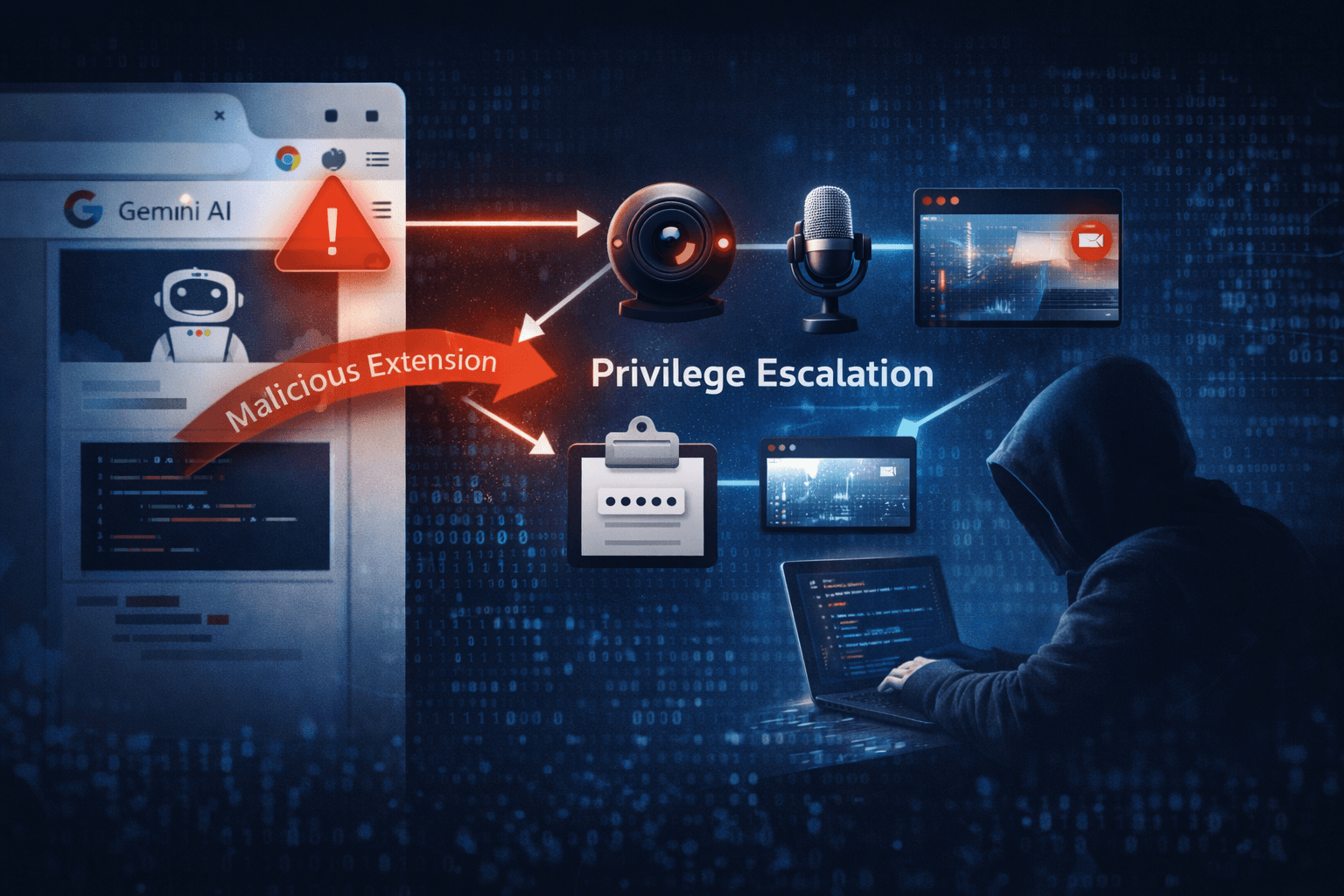
A single unpatched Chrome extension can now hand attackers your camera, microphone, and screen — silently, without user interaction. In early 2025, security researchers disclosed a critical privilege escalation vulnerability rooted in weak WebView policy enforcement within Chrome's side panel architecture. The flaw is especially alarming because it intersects with Google's Gemini Nano and Gemini Cloud AI features, meaning the very tools organizations deploy to boost productivity may be widening their attack surface.
This is not a theoretical edge case. Exploitation chains this vulnerability with drive-by delivery techniques, making zero-day risk a credible concern for any unpatched enterprise fleet. Whether you manage BYOD environments, corporate-issued desktops, or mobile Chrome deployments, understanding this threat is now a security imperative.
In this article, you will learn how the vulnerability works, who is most at risk, what indicators to monitor, and the concrete mitigation steps your team should prioritize today.
Understanding the WebView Privilege Escalation Flaw
At its core, this vulnerability stems from insufficient policy enforcement in how Chrome handles WebView iframes embedded within its side panel context. The side panel — increasingly used to surface AI assistant interfaces like Gemini — operates in a privileged browsing context. When that context boundary is not properly enforced, a malicious or compromised extension can escape it.
How the Side Panel Context Escape Works
Chrome extensions that gain access to the side panel API can inject content into WebView iframes. Under normal policy enforcement, this content should be isolated from sensitive browser APIs. However, due to weak boundary controls, a crafted extension payload can escalate from the extension's sandboxed context into the broader browser process.
Once that escape occurs, the attacker gains access to:
- Camera and microphone APIs — enabling silent audio/video capture
- Screenshot capabilities — allowing real-time screen monitoring
- Clipboard and DOM access — facilitating credential and session theft
- Cross-origin data — bypassing same-origin policy protections
The Role of Gemini AI Integration
Google's integration of Gemini Nano (on-device) and Gemini Cloud features into Chrome introduced new UI surfaces and inter-process communication channels. The novelty of these integrations means their attack surface has not yet been fully hardened through real-world adversarial testing.
The Gemini side panel represents a fresh privilege boundary — and fresh boundaries, before they are battle-tested, are exactly where attackers focus. Security researchers noted via vendor disclosure on social platforms that this convergence of AI-browser architecture creates vectors that did not exist in pre-AI Chrome versions.
Table: Side Panel Privilege Escalation — Attack Chain Overview
| Stage | Attacker Action | Resulting Access |
|---|---|---|
| Initial Access | Deliver malicious/trojanized extension | Extension install in user browser |
| Context Escape | Inject payload via WebView iframe | Break out of extension sandbox |
| Privilege Escalation | Abuse weak side panel policy | Gain browser-level permissions |
| Exfiltration | Access camera, mic, screen, clipboard | Sensitive data capture |
| Persistence | Chain with drive-by delivery | Persistent foothold across sessions |
Who Is Most Exposed and Why
Not every Chrome user faces equal risk. The severity profile varies significantly based on deployment configuration, extension posture, and whether AI features are enabled.
High-Risk Enterprise Scenarios
Enterprise Chrome deployments with broad extension permissions represent the highest-risk category. Organizations that have not yet migrated fully to Manifest V3 (MV3) — Chrome's updated extension framework — may carry legacy extensions with over-permissioned access that amplifies exploitability.
The transition to MV3 was designed to reduce extension abuse by restricting dynamic code execution and tightening API access. However, the post-MV3 landscape has paradoxically surfaced new extension-based attack patterns, as threat actors adapt their techniques to the new framework's constraints and gaps.
High-risk environments include:
- BYOD fleets where IT has limited visibility into installed extensions
- Enterprise Chrome deployments with Gemini Nano or Cloud features enabled
- Organizations with permissive extension policies lacking allowlist enforcement
- Remote workforces relying on Chrome for sensitive access to cloud applications
- Healthcare and financial institutions where HIPAA and PCI DSS compliance is at stake
Threat Actor Targeting Patterns
Based on MITRE ATT&CK framework mappings, this vulnerability aligns with technique T1176 (Browser Extensions) and T1185 (Browser Session Hijacking). Threat actors are increasingly chaining extension-based initial access with privilege escalation to achieve objectives that previously required phishing or endpoint malware.
The convergence of AI interfaces with browser security boundaries is exactly the kind of systemic shift that sophisticated adversaries monitor for early exploitation opportunities.
Table: Risk Assessment by Deployment Type
| Deployment Type | Risk Level | Key Exposure Factor | Priority Action |
|---|---|---|---|
| Enterprise Chrome + Gemini AI | Critical | AI surface + broad permissions | Patch immediately |
| BYOD with unmanaged extensions | High | Uncontrolled extension inventory | Audit and restrict |
| Consumer Chrome (AI features on) | High | Limited policy controls | Update + disable untrusted extensions |
| Managed Chrome (MV3-only policy) | Medium | Reduced legacy extension risk | Patch + monitor WebView |
| Consumer Chrome (AI features off) | Low-Medium | Reduced attack surface | Apply patch |
Detection, Monitoring, and Red Team Considerations
Identifying exploitation of this vulnerability requires monitoring at layers that many security operations centers (SOCs) do not traditionally prioritize for browser-based threats.
Behavioral EDR Signals to Watch
Endpoint Detection and Response (EDR) tools with behavioral analysis capabilities are your primary detection layer. Analysts should configure detection rules for:
- Unexpected camera or microphone process invocations from Chrome child processes
- WebView iframe spawning from side panel extension contexts
- Unusual inter-process communication (IPC) patterns from Chrome renderer processes
- Screenshot API calls originating from extension processes outside expected workflows
- Anomalous network exfiltration following side panel activity
Important: Standard signature-based AV will not catch this class of attack. Behavioral EDR tuned to Chrome process trees is required for reliable detection.
Red Team Testing Recommendations
Security teams conducting internal assessments should test for this class of vulnerability by targeting side panel injection points. Specifically:
- Enumerate installed extensions with side panel API access
- Attempt WebView iframe injection from a test extension
- Validate whether the sandbox boundary can be crossed in your Chrome version
- Assess whether Content Security Policy (CSP) headers on extension pages block payload execution
- Simulate exfiltration via media capture APIs to confirm detection coverage
Pro Tip: MITRE ATT&CK's T1176 sub-techniques provide a structured framework for building your red team test cases around browser extension abuse scenarios.
Log Sources and Monitoring Priorities
Table: Monitoring Coverage for WebView Exploit Detection
| Log Source | What to Monitor | Alert Threshold |
|---|---|---|
| EDR Process Telemetry | Camera/mic invocation from Chrome child procs | Any unexpected invocation |
| Browser Extension Logs | Side panel API usage patterns | New or changed extension behavior |
| Network Traffic Analysis | Data exfil from Chrome post-side panel activity | Unusual upload volume or destination |
| Chrome Enterprise Reporting | Extension installs, permission changes | Unapproved extension additions |
| SIEM Correlation Rules | Chained WebView + media API + network events | Multi-stage correlation hit |
Mitigation: Immediate and Strategic Actions
The vendor has released a patch, and applying it is the single most impactful step your team can take right now. However, patching alone does not eliminate the broader risk class this vulnerability represents.
Immediate Remediation Steps
For security and IT operations teams, the immediate priority list is clear:
- Deploy the Chrome patch across all managed endpoints as an emergency change
- Disable untrusted or unreviewed extensions pending validation against your allowlist
- Enforce extension allowlists via Google Admin Console or your MDM platform
- Audit extensions with side panel API permissions — remove or restrict any not business-critical
- Disable Gemini AI features on endpoints where the patch cannot be applied immediately
For BYOD environments where direct patch enforcement is not possible, issue an advisory requiring users to update Chrome manually and remove unrecognized extensions before accessing corporate resources.
Strategic Hardening Measures
Beyond the immediate patch, organizations should use this incident to advance their browser security posture in line with CIS Controls and NIST SP 800-53 guidance on application hardening.
Key strategic measures include:
- Enhance Content Security Policy (CSP) in internal extensions to restrict script execution contexts
- Adopt Chrome Enterprise's Enhanced Safe Browsing for proactive threat blocking
- Implement Zero Trust browser isolation for high-sensitivity workflows
- Review and reduce extension permissions as part of quarterly security hygiene
- Establish a browser vulnerability management workflow separate from OS patching cycles
Compliance-minded organizations should note that unauthorized access to camera, microphone, and screen data triggered by this vulnerability could constitute a data breach under GDPR Article 33, HIPAA §164.402, and PCI DSS Requirement 12.10, each carrying reporting obligations and potential penalties.
Key Takeaways
- Patch Chrome immediately — the vulnerability is chainable with drive-by delivery, making zero-day exploitation a live risk for unpatched systems
- Audit every extension with side panel API access — restrict or remove anything not explicitly approved and business-justified
- Tune behavioral EDR to Chrome process trees — signature detection will miss this class of browser-based privilege escalation
- Treat AI-integrated browser surfaces as new attack terrain — Gemini and similar integrations introduce privilege boundaries that require dedicated threat modeling
- Enforce MV3-only extension policies in enterprise Chrome to reduce the legacy extension attack surface
- Prioritize BYOD and remote work fleets — these environments combine the highest exposure with the lowest direct control
Conclusion
The Chrome WebView privilege escalation vulnerability is a signal, not just an incident. It illustrates how the rapid integration of AI capabilities into everyday software creates attack surfaces that outpace existing security models. The combination of a weak policy boundary, a privileged AI side panel, and the ubiquity of Chrome across enterprise environments produces a threat profile that demands immediate attention.
Your first move is patching. Your second is extension governance. Your third — and most strategically important — is building a browser security practice that treats AI-integrated surfaces with the same rigor you apply to endpoints and network perimeters. The threat actors watching this space are already adapting. Your security posture should adapt faster.
Review your Chrome extension inventory this week, apply the patch across all fleets, and schedule a threat modeling exercise for your AI-integrated browser deployments.
Frequently Asked Questions
Q: Which versions of Chrome are affected by this WebView privilege escalation vulnerability?
A: The vulnerability affects Chrome versions with Gemini Nano or Gemini Cloud features enabled, across both desktop and mobile variants. Organizations should check vendor advisories for the specific version range and apply the latest stable patch, which addresses the underlying WebView policy enforcement weakness.
Q: Do I need to have Gemini features enabled to be at risk?
A: The highest-risk profile involves Chrome deployments with Gemini AI features active, as the side panel architecture those features introduce is the primary exploitation surface. However, the underlying WebView policy weakness may affect broader extension contexts, so all Chrome users with untrusted extensions installed should apply the patch regardless of AI feature status.
Q: How do attackers deliver the malicious extension required for exploitation?
A: Attackers can deliver a malicious extension through several vectors: trojanizing a legitimate extension via a supply chain compromise, publishing a new extension to the Chrome Web Store using social engineering or SEO poisoning, or distributing it through phishing campaigns targeting enterprise users. This vulnerability is also chainable with drive-by download techniques to automate delivery.
Q: What compliance obligations apply if this vulnerability is exploited in my organization?
A: Unauthorized access to camera, microphone, or screen data constitutes a personal data breach under GDPR (requiring notification within 72 hours under Article 33), a potential PHI breach under HIPAA (triggering breach notification rules), and a security incident under PCI DSS Requirement 12.10. Organizations should involve legal and compliance teams immediately if exploitation is suspected.
Q: How do I test whether my current EDR can detect exploitation of this vulnerability?
A: Work with your EDR vendor or conduct a red team exercise that simulates side panel injection via a test extension. Specifically, test whether your EDR generates alerts when Chrome child processes invoke camera or microphone APIs unexpectedly. If your current ruleset does not cover Chrome process tree anomalies, engage your vendor to build custom behavioral detections aligned to the MITRE ATT&CK T1176 and T1185 technique mappings.

Enjoyed this article?
Subscribe for more cybersecurity insights.